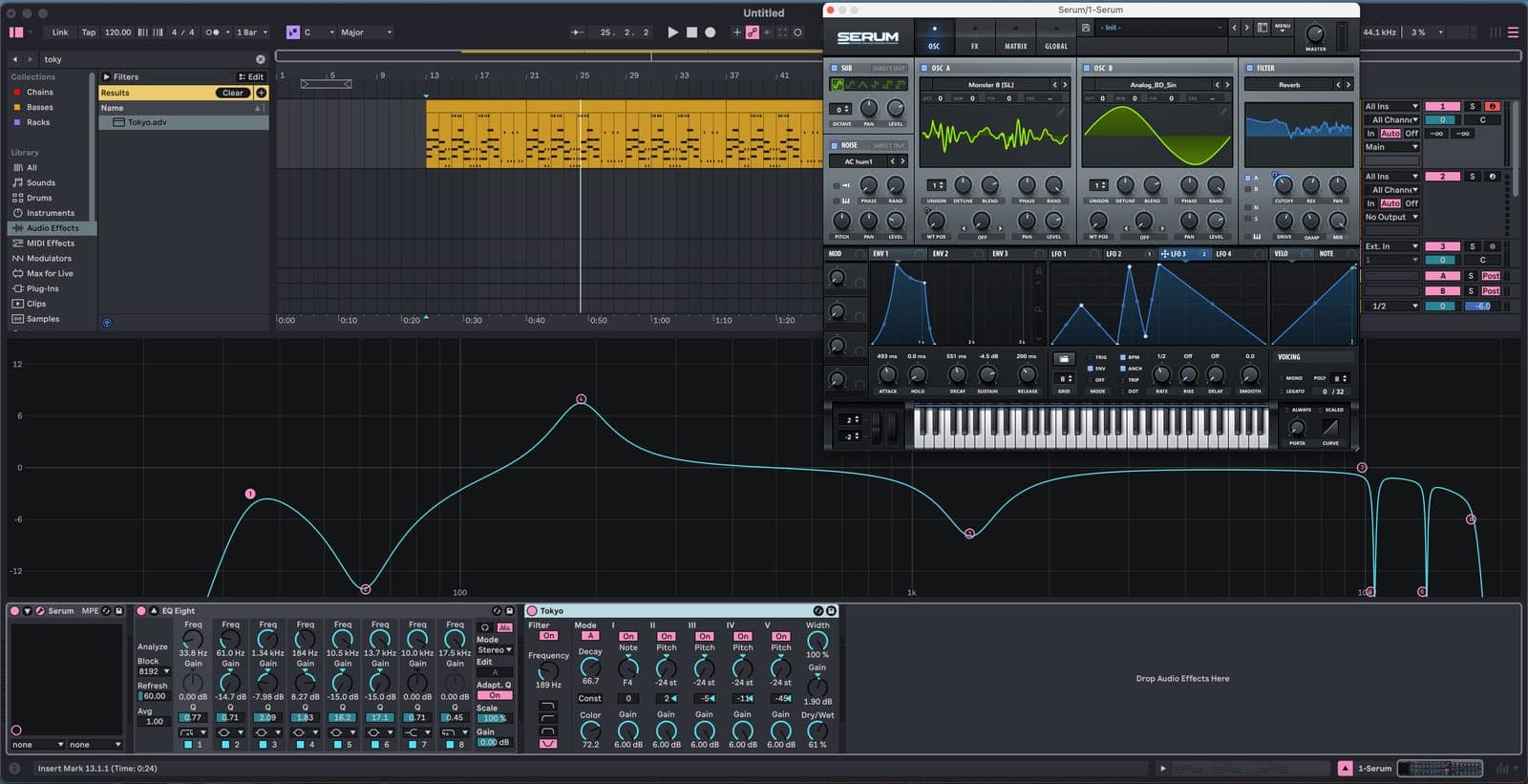
Ableton Live Class | Los Angeles
Ableton Live Course
Unlock your creative potential at Garnish Los Angeles in our 24 Hr. Ableton Live Course. Since its release, Ableton has revolutionized music production providing users with a creative ‘jamming’ tool to quickly develop and evolve ideas into finished productions.
Let’s Get Going!
- →How to set up: Audio and the preferences window
- →Explore what makes Ableton different to other DAWs
- →Applications of session view and arrangement view: when to use which
- →Live concepts: clips / browser / scenes / library
- →Launching clips
- →The concept of Ableton’s unique warp engine
- →An introduction to FX
- →An introduction to instruments
Creating With MIDI & Audio
- →How to quantize audio
- →How warping works
- →Clips – exploring clip view & properties of clips
- →How to make beats with Drum Racks & Simpler sampling
- →Live’s effects and employing third-party effects
- →How to record MIDI and set up live looping
- →Basic routing and resampling
- →Automation – how to create dynamic change in arrangements
DJing and Live Performance
- →Preparing whole tracks (warping) and harmonic mixing
- →‘On-the-fly’DJ effects
- →Grouping tracks and basic routing
- →How to use MIDI controllers more effectively / mouse-free control
- →Bespoke Ableton controllers – Akai, Push and Novation
- →Structuring your sets & using loops
- →How to record your performance & edit the arrangement view
- →Bouncing down
MIDI Tracks and Composing with Virtual Instruments
- →Simpler – Learn to unlock the full potential of this simple sampler
- →Drum Rack – Programming beats, how to chop up loops, manipulating sounds, vocals and tracks – making rhythms from any sound source and also exploring the technique of Slice to MIDI.
- →Grooves & how to extract them
- →Using & controlling virtual instruments from third party developers
- →Setting up controllers via MIDI keyboard or drum pad
- →How to get creative with MIDI effects
Recording Techniques and an Introduction to Sound Design
- →Balancing – an introduction to the art of mixing. Group tracks and advanced uses of routing
- →The recording patch in detail, & an introduction to gain structure
- →EQ and compression for recording
- →Introduction to sound waves, frequency & amplitude
- →Foldback, headphone mixes & latency
- →Microphones overview and stereo mic-ing techniques
- →Recording specific aspects of Ableton
- →Digital, analog, sampling rate and bit-rate explained
- →How to compile audio takes
Advanced Techniques
- →Advanced warping – manipulate classical music, a capellas and anything else without beats!
- →Clip envelopes – how to use the unique loop-based technique, unique to Ableton, for automation on audio fx,, midi fx and instruments. Learn to achieve complex music, sound and rhythm manipulation with ease.
- →Multi-track warping
- →An introduction to Racks & Chains – their powerful hidden features. Also includes how to layer FX and instruments
- →Bringing all automation types together – and how to create build-ups and break-downs with complex sounds.
Who is this course for?
- →Aspiring Artists, DJs and Songwriter-Producers ready to dive into music production and build a strong foundation in Ableton.
- →Experienced music makers looking to master a streamlined workflow and fill any knowledge gaps.
“I needed to brush up on something, so I called Garnish, as they have the best instructors” – Jamie Jones


Course Highlights
- →24 hours of world-class training in Ableton Live, MIDI Instruments and Plug-ins
- →Billboard chart-topping instructors teach in limited class sizes for focus
- →50% Student Discount on Ableton software, Exclusive Garnish Sample Libraries & Discounted software from our partners like Arturia.
Prerequisites
Laptop with Ableton software installed
You can purchase Ableton here. This class is also included in our comprehensive Production Program
Contact us if you have any questions.
Why choose Ableton Live Course at Garnish?
Meet Our World-class Instructors
Our instructor roster ranges from Multi-Platinum Songwriters and Producers to rising LA Hitmakers and Artists.

Our Students Say. . .
“I wouldn't change a thing about this course. It was ten times better than I expected it to be. The instructor was incredibly informative and kept things fun. I've played with software for a couple of years and thought I got most of the basics down but I definitely was wrong. Great course! I would definitely recommend this course to anybody wanting to learn the production side of music. It was incredibly helpful and left me inspired to make tracks 24/7.”
Kristina Bialkowski
Frequently asked questions.
No. The course is a hands-on introduction, built from our full Electronic Music Producer Program and streamlined - it starts at the interface and finishes with you arranging your own tracks.
Either. The course supports Ableton on both, so bring whichever you work on.
A laptop with Ableton installed - a free 30-day trial of Suite is enough to start. Headphones and MIDI keyboards are available to use in class.
The Ableton Live Class runs 24 hours. Tuition at Garnish Los Angeles: $2250 Tuition + $300 Registration Fee.
The Ableton Live Class is taught in person at Garnish Los Angeles. Online, we teach it one-to-one - ask admissions about private instruction.
Yes. The Ableton Live Class can be taught one-to-one, in person in Los Angeles or online, built around your own projects - ask admissions about private instruction.
Ableton Live Course (24 Hrs)
$2,250 Tuition + $300 Registration Fee
Enroll now — max 8 spots!
Enrollment Steps
- 01Pay $300 Registration Fee to reserve.
- 02Pay tuition $2,250 to enroll, get welcome packet. All major credit cards accepted.
Ready to get started?
Enroll nowRacks in Depth: Zones, Chains and Macro Variations
Racks past the basics. Key and velocity zones, chain select, macro variations as snapshots, randomising macros, and extracting a chain back out.
Read →Where MIDI Timing Error Comes From
Why MIDI is never perfectly tight, which parts of the chain Live controls and which it does not, and what to do about the ones it does.
Read →Pulse Width Modulation and Serial Filtering
Pulse wave modulation (PWM) is a technique used to manipulate the pulse width of a waveform, typically of a square wave. PWM can be used to create subtle…
Read →MIDI Generators and Transformations
Two tabs in the Clip View that write and rewrite MIDI for you - Seed, Rhythm, Stacks, Euclidean patterns, Strum, Ornament, Recombine, Connect. Where to find them and what each is for.
Read →Wave: Oscillator Effects
Oscillators are often equipped with various Oscillator Effects tp modify and shape the waveforms.They are not effects in the common sense of the word but…
Read →Using Third Party Plugins
Audio plug-ins are installed in the OS, not for each application. So there’s no worry about Logic 8 or 9, or any other app which can use the same…
Read →